

Create a Datasource Variation
- To get started, load a Design or open one for edit from your Admin Designs page
-
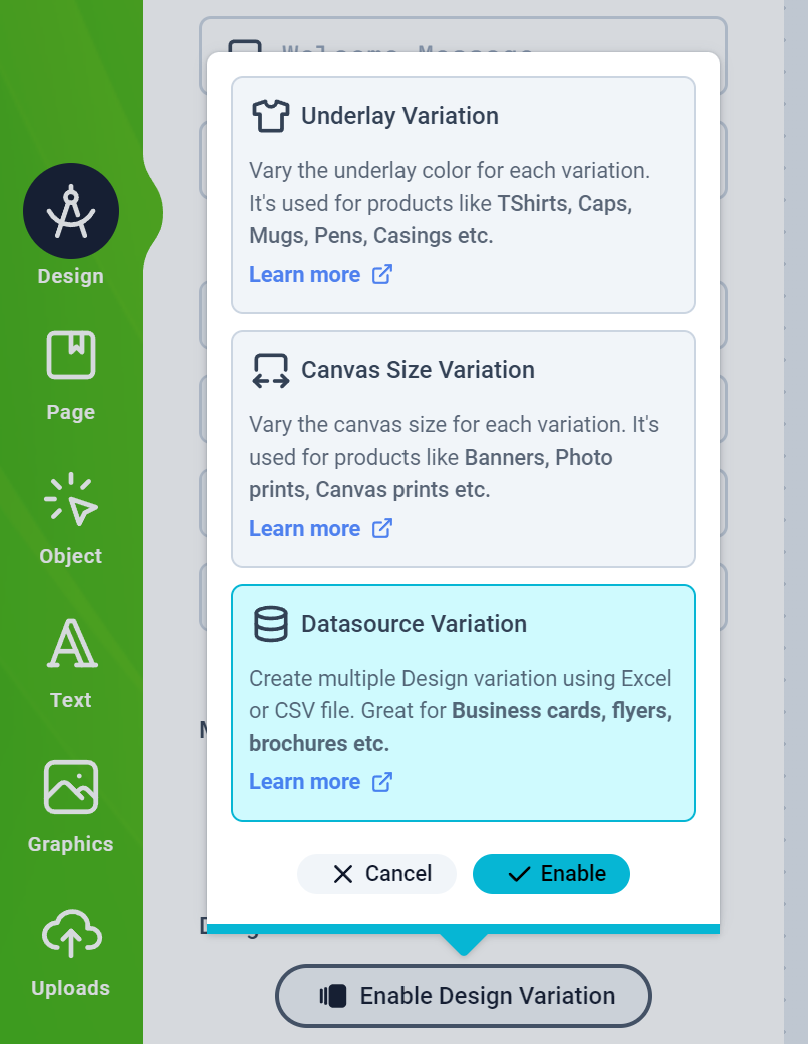
Click the Design tab on the left panel and then click the Enable Design Variation button to select the Datasource Variation and Enable it
-
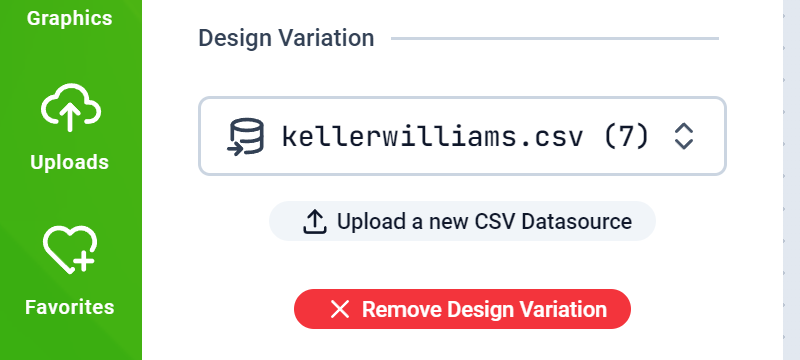
You should have the Datasource selection form displayed. Your previously uploaded CVS Files should appear here. If you don’t have any, you can upload one right here.
-
To drive your Design Object’s values with a Datasource, you need to have in the Design, Objects that have the same title as the column name of your CSV Datasource.
For example, you create Smart Text Objects labelled
First Name,Last NameandStreet Addresscorresponding to the CSV file shown below: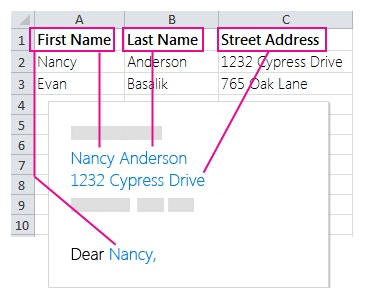
- Save your Design and assign it to a product and test as a customer on your web store.