

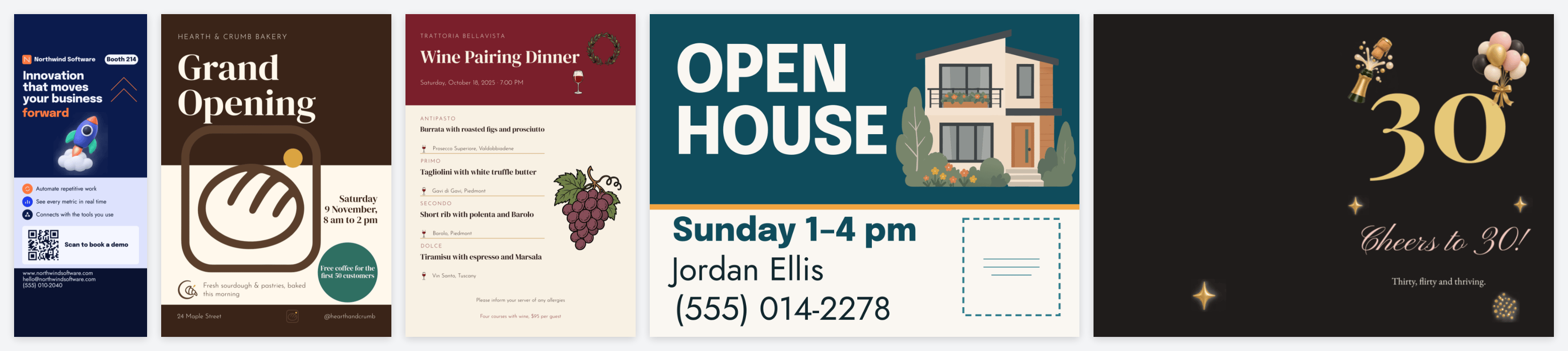
- Editable. Every name, date, phone number and line of copy is a field your customers fill in. Logos and photos sit in frames they replace. Decoration is locked so a customer cannot knock it out of place.
- Print-ready. The product’s size, bleed and safe area, folds on folded cards and programs, die-cut shapes on round labels and ornaments, and the matching cut line. Text stays inside the safe area and large enough to read at the product’s size.
- Designed. A palette, a font pairing and artwork from the Print.App graphics library, chosen for the direction, with layouts that suit the product: a roll-up banner reads from across a hall, a business card at arm’s length.
How it works
1
Brief
Describe the design, paste a product page link, or pick a product,
size, theme, colours and style. One variation by default, up to
three.
2
Directions
Template Studio plans a different direction for each variation: a
name, a look, a palette, a font pairing and the graphics to use.
3
Drafts
Each direction is drafted in about a minute. Drafts are free: try
again for a fresh take, or add a note and it redraws that draft
with your change.
4
Keep
Keep the drafts you like. A finishing pass sets up every field and
lock, tidies the layout, and saves the design into your current
folder. Each kept design includes three changes you can ask for
afterwards.
What it builds in
Customer fields
Names, dates, contact details and messages become titled fields
with sensible length limits, so the form your customers see is
ready to use.
Print setup
Bleed, safe area, folds, multi-page products and die-cut shapes,
taken from the product and format you chose.
Print modules
Real, scannable QR codes (one can follow the website your
customer types) and curved text that follows round products.
Quality checks
Every draft is checked as it is built: text size and contrast,
alignment, the safe area, overlapping text. A final review looks
at the finished pages before you see them.